Run Claude Code and Codex across every repo, without babysitting terminals.
Each agent works in its own git worktree. Quay surfaces the one that needs you, and you review the diff before anything lands.
No card · signed and notarized · your sessions stay on your Mac · macOS 26+ on Apple silicon
Who Quay is for
Developers running Claude Code or Codex on several tasks at once, usually across more than one repo. One agent in one repo doesn't need Quay. It starts to pay once you are the one keeping three of them straight.
Two tasks, one checkout.
The second agent edits files the first is testing. The first sees failures that are really the other's half-finished change, and starts fixing them.
Questions wait in hidden tabs.
Three repos, eight terminals. An agent stopped an hour ago to ask for permission, and you find out when you happen to click its tab.
Coming back means re-reading.
After a meeting you rebuild the state from scrollback: what finished, what failed, which branch is safe to merge.
Quay gives each task its own worktree, puts every question in one place, and hands you a review before anything merges.
How Quay works
Keep track of the work without watching every session.
01
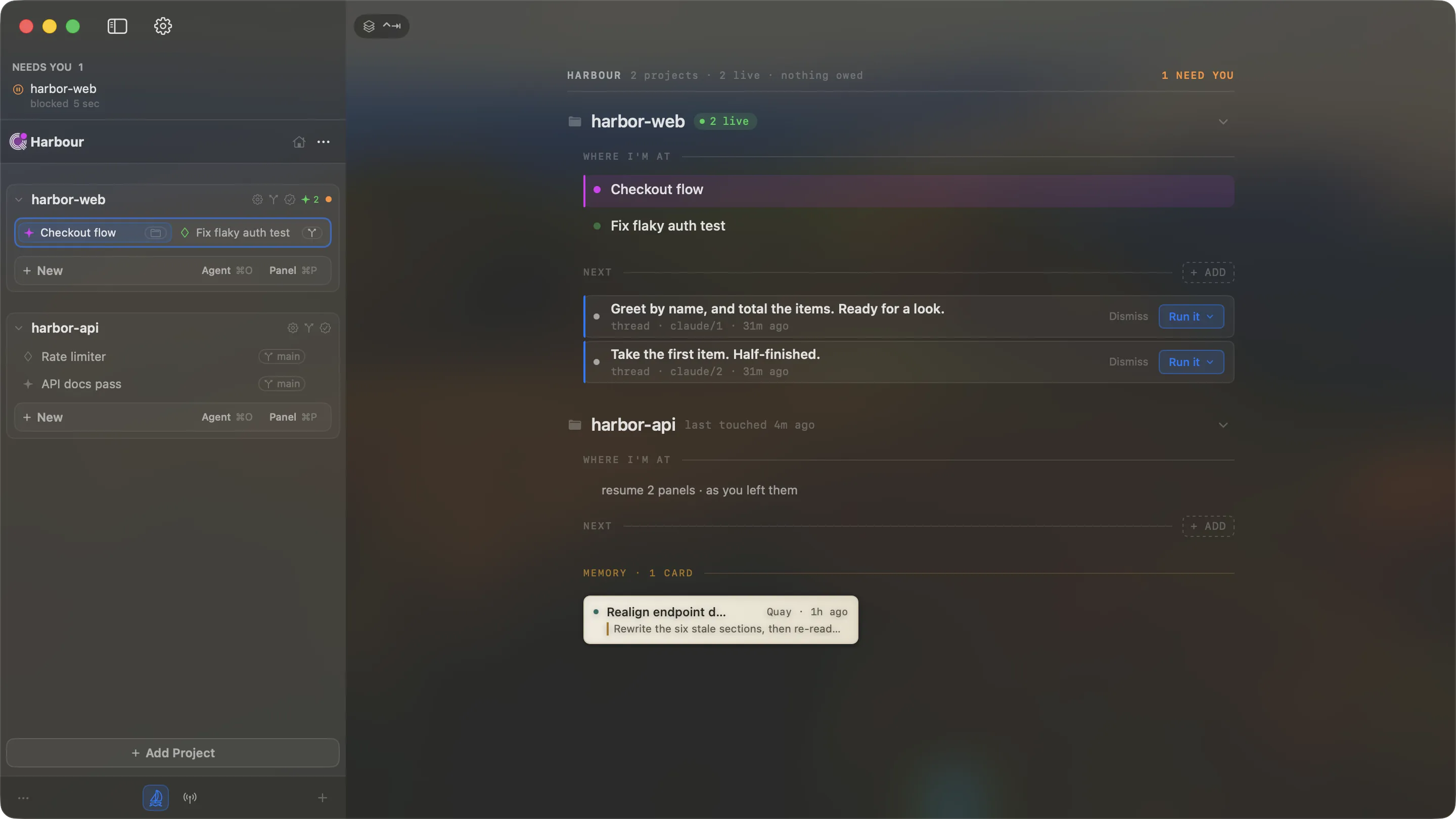
See every project, and what needs you
Every repo's sessions on one Home. A session that stops to ask you something rises to the top, so you answer it instead of hunting for it.
02
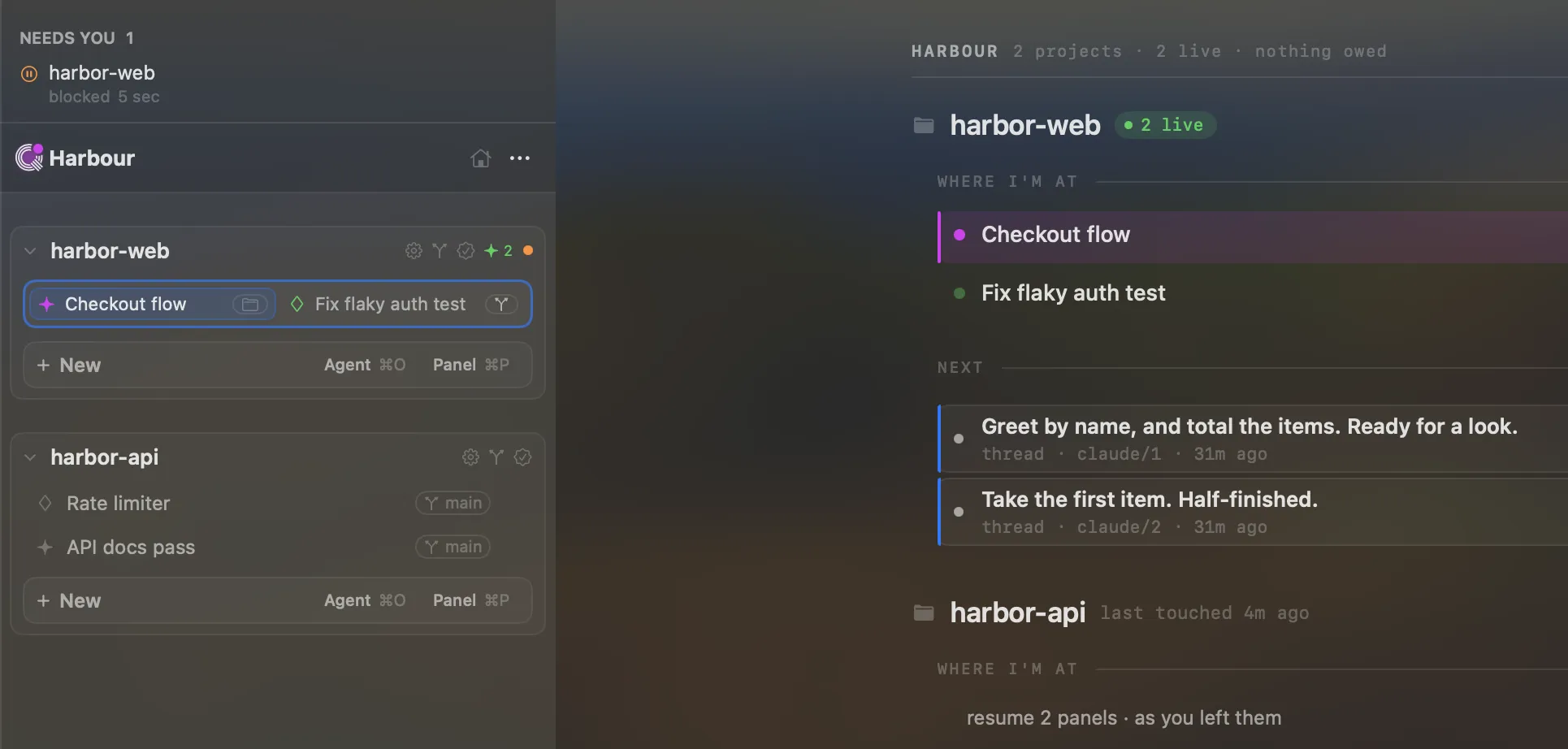
Give every task its own ground
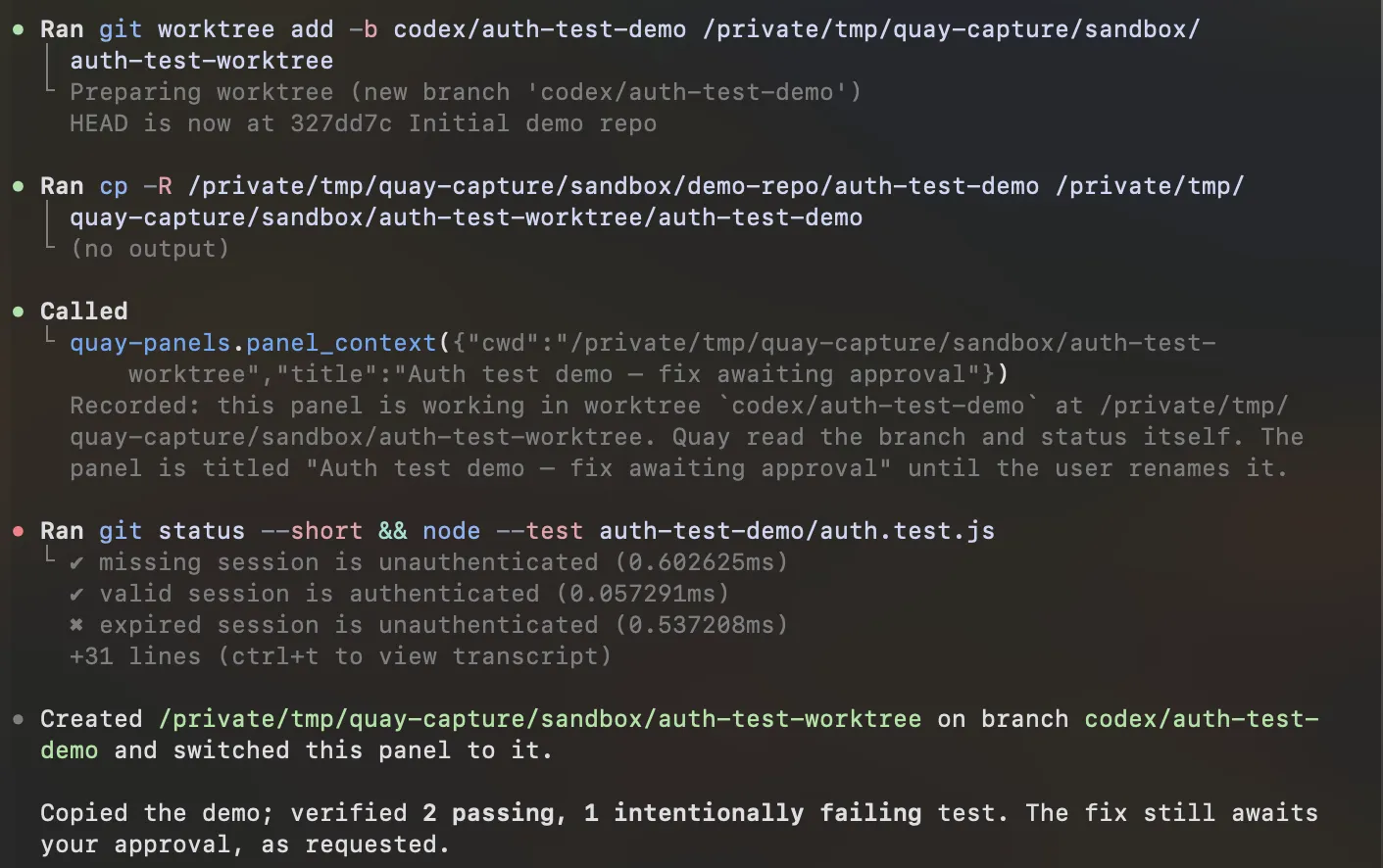
An agent can cut its own git worktree on a new branch, and Quay follows it there. Claude Code and Codex work side by side, never in each other's checkout.
03
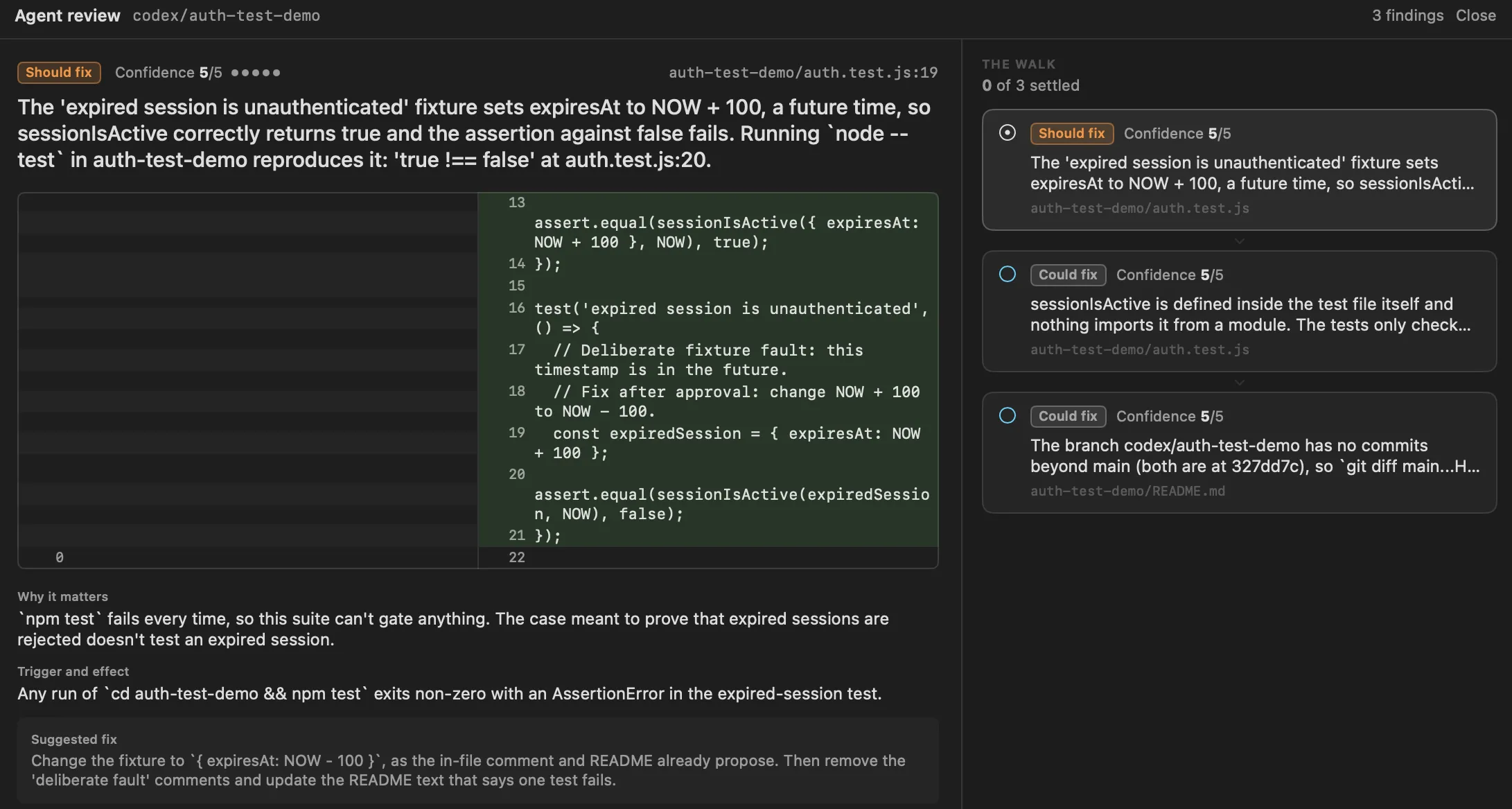
Review what will actually land
An agent reviews the branch and lists findings, each with its diff and a suggested fix. You settle them before anything merges.
04
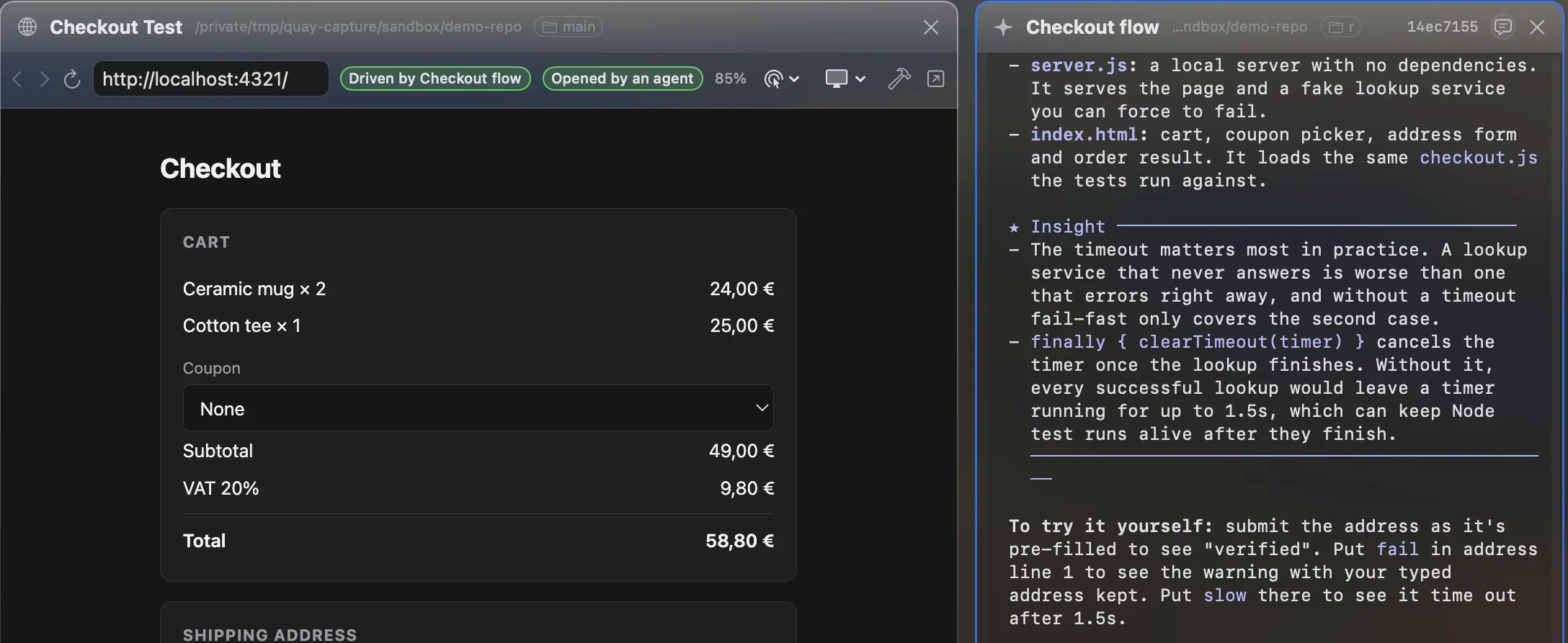
Let the agent check its own work
The agent opens what it built in a browser panel and clicks through it. Only local pages or ones you arm, and the toolbar says who is driving.
Underneath the main flow: custom agents you define once and reuse across projects, and one skills library shared by Claude Code and Codex.
Oct 14, 2026 · Last release
v0.22.1 · Agents keep their Quay tools
All releases
Quay refuses cleanup when git says work is still at risk.
- Uncommitted or untracked files? The worktree stays exactly where it is, and Quay tells you why.
- Commits that never merged? The folder goes, the branch stays. Your commits are still one checkout away.
How: Quay runs git worktree remove and git branch -d, never --force. When git refuses, Quay stops. Files you have told git to ignore, like a local .env, are not checked: git treats them as disposable, so a removed worktree takes them with it.
Compared with what you use now
Hand off a task, walk away, get called back, review it, retire it.
That loop, across several repos at once, is what Quay is for. Each tool below does part of it well.
Terminal tabs
A tab only shows what's in it. An agent waiting on you looks the same as one still working.
Quay tracks every session from one sidebar, and the one that stopped to ask rises to the top. You answer it instead of cycling tabs to find it.
tmux
It keeps the processes alive, not the context. Coming back still means reading scrollback to learn what finished.
When a session ends or fails, Quay Memory writes a card: what happened, where it stopped, what comes next. You resume from the card, not the scrollback.
Git worktrees by hand
You create, track and remove them yourself, and a hasty remove --force is how work gets lost.
An agent cuts its worktree, Quay follows the panel there, and retiring it goes through git's own checks without --force. You get isolation without the bookkeeping.
IDE agent panels
They are built around the editor window you have open, so the work you can see is the repo in front of you.
Quay puts the Claude Code and Codex sessions from every repo on one Home. Keep your editor for editing.
Other orchestrators
Some swap the agent's CLI for their own runner, some move the work to a cloud sandbox.
Quay runs the official Claude Code and Codex CLIs themselves, in your own checkouts, on your Mac, and never merges for you. What you see is the agent you would have run anyway.
Bring your agents
- macOS 26 or later on Apple silicon
- Claude Code and/or Codex installed
Keep your judgment
- Agent usage stays billed by its provider.
- Quay supervises agents; it does not replace them.
- It never merges for you.
Ready to upgrade your workflow?
One-time purchase. No subscriptions.
Quay License
Pre-1.0 price
Quay is at v0.22.1, before 1.0. Buy now and you pay this price once; at the 1.0 launch it becomes $119.
1 Mac · one-time purchase
- Claude Code and Codex across every project
- Parallel work in isolated git worktrees
- One place for attention, handoffs, and Memory
- Agent-assisted review before work lands
- Unlimited sessions and one year of updates
- Native Swift app with locally indexed history
Full refund within 30 days, no questions asked. Refund policy
Or try Quay free first7 days · no card required
- After year one
- You keep your version and every update from that year. Renewing for more updates is optional and never automatic; its price will be published before any first year ends.
- Shipping record
- 49 releases so far, latest v0.22.1. Signed and notarized by Apple. Changelog
Fair questions.
Does Quay replace Claude Code or Codex?
No. Quay gives the agents you already use a shared macOS workspace. They still do the coding; Quay organizes the projects, worktrees, sessions, review, and attention around them.
Does Quay include agent usage?
No. Claude Code and Codex stay billed by Anthropic and OpenAI on your own plans or API keys. Quay is a one-time licence for the app itself.
Does my code or conversation history leave my Mac?
Not through Quay. Sessions, Memory, and history are indexed locally. Activating a licence sends your device name and a hashed machine identifier to the licensing service, never code or transcripts. Your agents talk to their own providers as they always have.
Does Quay need a permanent internet connection?
No. Quay validates your licence, stores the activation in Keychain, and keeps working through a 30-day offline grace period. Your agents still need whatever connection they normally use.
Can Quay merge or delete work without me?
It never merges for you and never passes --force to git. Retiring a worktree with uncommitted or untracked files is refused, and a branch with unmerged commits is kept even when its folder goes. Files git ignores are not checked, so keep anything precious out of ignored paths.
What happens after the first year?
You keep the version you have and every update released in that year, forever. Renewing is optional, never automatic, and only buys another year of updates. Its price isn't set yet; it will be published before any licence's first year ends.
Keep Claude Code and Codex moving without losing the thread.
Every repo, session, worktree and handoff on one Home. Try it on real work for seven days.